



 English
 中文简体
中文简体Content
- 1 What a Relay Switch Symbol Tells You at a Glance
- 2 Reading the Four Basic Relay Switch Symbols
- 3 Relay Switch Symbol vs. PCB Footprint: What the Symbol Leaves Out
- 4 How to Match a Relay Switch Symbol to a Real Part
- 5 Common Mistakes When Reading Relay Switch Symbols
- 6 FAQ About Relay Switch Symbols
- 6.1 What is the difference between a relay switch symbol and a switch symbol?
- 6.2 How do I know if a relay symbol is normally open or normally closed?
- 6.3 Does the relay switch symbol show the coil voltage?
- 6.4 Can I use the same PCB footprint for different relay symbols?
- 6.5 Why do some relay symbols have a diode drawn across the coil?
- 6.6 How can I find a relay that matches a specific switch symbol?
You are staring at a schematic. The relay symbol looks simple enough: a rectangle for the coil, a few lines for the contacts, maybe a dashed line linking them. But the moment you need to turn that symbol into a real part on a PCB, the questions start. Does the symbol tell you the pin spacing? The coil voltage? The contact rating? Not directly. The relay switch symbol is a logical shorthand, not a mechanical drawing. That distinction matters because a wrong interpretation can send you into a redesign cycle that costs weeks.
The conclusion first: a relay switch symbol tells you how the control side connects to the load side, and whether the contacts are normally open or normally closed. It does not tell you if the relay will fit your board, handle your current, or pass your safety certification. For that, you need the datasheet and a manufacturer who builds to the same footprint conventions. Helishun has been making relays since 2000, and its product line is organized around exactly that gap between symbol and physical part.
What a Relay Switch Symbol Tells You at a Glance
A relay switch symbol is essentially a picture of an electrically controlled switch. The coil is drawn as a rectangle or a loop, because it is just a length of wire that creates a magnetic field. The contacts are drawn as lines that either touch or stay apart. The mechanical linkage is often a dashed line that connects the coil to the moving contact. That dashed line is the symbol's way of saying "when this coil energizes, these contacts move."
In most schematic libraries, you will see four basic labels around the symbol: coil terminals, COM (common), NO (normally open), and NC (normally closed). The COM terminal is the moving contact. NO means the circuit is open when the coil is off. NC means the circuit is closed when the coil is off. When the coil energizes, COM switches from NC to NO. This is the heart of the relay switch symbol, and it is the same whether you are looking at a tiny signal relay or a 30A power relay.
What the symbol does not show is the coil resistance, the pick-up voltage, the contact material, or the isolation distance. Those are physical parameters. For example, a symbol might show a single-pole double-throw (SPDT) configuration, but the actual relay could be a 5-pin miniature T73 style with a 10A contact rating, or a 30A T90 style with a much larger footprint. Helishun's general power relay line includes both, and they share the same logical symbol even though they are completely different in size and thermal behavior.
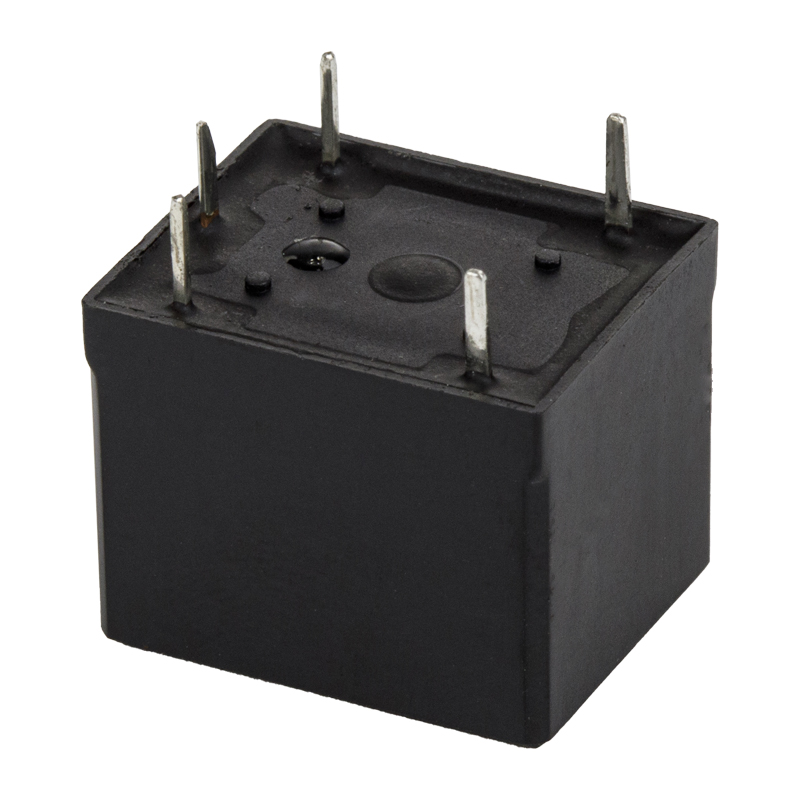 hot selling SPDT 5PIN 7A 10A mini power relay T73 PCB PIN HLS87 A 2 5 0VAC/ 30 VDC 10A 250 VAC/ 30 VDC 15 A 12 0VACView Product →
When you see a relay switch symbol in a design, the first practical step is to decide the contact form. If the circuit needs to switch between two loads, you need an SPDT or DPDT. If it only needs to turn one load on and off, an SPST will do. The symbol makes that clear immediately. The rest is a selection exercise.
Reading the Four Basic Relay Switch Symbols
Most relay switch symbols fall into four families. Each one has a distinct contact arrangement, and each one appears in different types of equipment. Knowing these four by sight will save you time when you scan a schematic or compare a competitor's board.
- SPST (Single Pole Single Throw): One coil, one contact pair. It works like a simple on/off switch. You will find this in low-cost appliances and simple control boards.
- SPDT (Single Pole Double Throw): One coil, one common terminal, and two contacts (NO and NC). This is the most common relay switch symbol in industrial control, automotive, and telecom equipment.
- DPST (Double Pole Single Throw): One coil, two separate contact pairs that both open and close together. It is used when two circuits must be switched simultaneously but not interchangeably.
- DPDT (Double Pole Double Throw): One coil, two common terminals, and four contacts. It can switch two circuits between two different paths each. This appears in more complex control logic and reversing circuits.
The table below summarizes how these symbols map to typical applications and what to check before you move to a physical relay. The current ratings are representative of common selections, not absolute limits.
| Symbol Type | Contact Arrangement | Typical Current Range | Common Applications |
|---|---|---|---|
| SPST | 1 NO | 5A to 15A | Small appliances, power supplies |
| SPDT | 1 COM, 1 NO, 1 NC | 2A to 30A | Automotive, industrial control, telecom |
| DPST | 2 NO | 10A to 20A | HVAC, motor control |
| DPDT | 2 COM, 2 NO, 2 NC | 5A to 10A | Reversing circuits, signal routing |
If you are designing a board that needs a relay switch symbol, the symbol type narrows your search quickly. For example, an SPDT symbol with a 5-pin footprint often points to a T73 or T90 series relay. Helishun's relay selection principles guide explains how to match the symbol to the actual load requirements, including inrush current and switching frequency. The key is not to treat the symbol as a complete specification.
Relay Switch Symbol vs. PCB Footprint: What the Symbol Leaves Out
A relay switch symbol is drawn on a logical grid. It has no dimensions. The physical relay has a footprint with pin spacing, pin diameter, and overall height. This is why you can have two relays with identical symbols but completely different PCB layouts. The symbol says "SPDT," but the PCB says "5 pins at 5.0 mm pitch" or "8 pins at 3.5 mm pitch."
Consider a 5-pin SPDT relay. The symbol shows one coil, one COM, one NO, and one NC. That is four functional connections, but the physical relay has five pins because the coil often uses two pins. The fifth pin might be a second coil terminal or a common ground. The symbol may simplify this by drawing the coil as a single two-terminal element, but the PCB footprint must account for all five holes.
Automotive relays are a good example. A 5-pin 30A automotive relay might have a quick-connect pin layout that is standardized across many vehicles. The relay switch symbol on the schematic shows the coil and contacts, but it does not show the blade width or the housing keying. If you try to substitute a relay with the same symbol but a different pin arrangement, the board will not fit. Helishun produces automotive relays in 4-pin, 5-pin, and 7-pin configurations, with current ratings from 25A to 80A, all sharing familiar schematic symbols but different physical footprints.
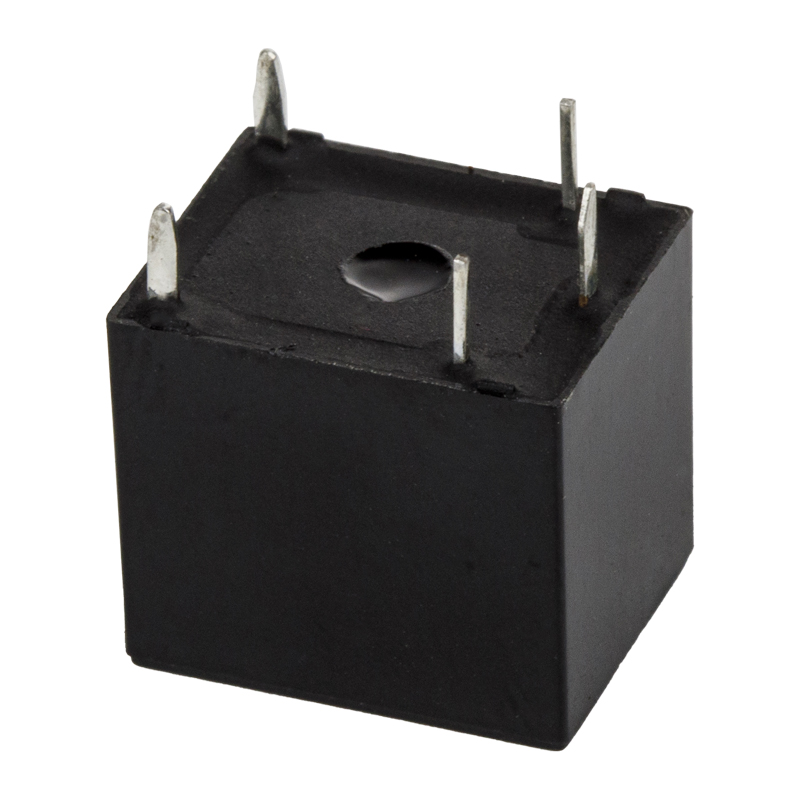 hot selling 5PIN 25A mini automotive relay T78 PCB PIN HLS-T78NO:20A 14VDC/10A120VAC NC:12A 14VDC/10A120VAC 1C:7A 120VACView Product →
When you move from schematic to layout, the safe approach is to pick a relay family, then verify the pinout against the datasheet. The symbol gets you 80% of the way. The last 20% is mechanical and thermal.
How to Match a Relay Switch Symbol to a Real Part
Matching a relay switch symbol to a purchasable part is a step-by-step process. Engineers who do it often enough develop a mental checklist. Here is a practical sequence that works for most projects.
- Confirm the contact form. Count the poles and throws on the symbol. SPST, SPDT, DPST, or DPDT. This is non-negotiable because it determines the switching logic.
- Check the coil voltage and drive current. The symbol does not show coil voltage. Your driver circuit must match the relay coil. Common values are 5V, 12V, 24V, and 48V DC. If the coil current is too high, you may need a transistor or driver IC.
- Estimate the load current and inrush. The contact rating must exceed the steady-state current and the inrush current. Motors and lamps can draw 5 to 10 times their rated current at startup. A 10A relay may not be enough for a 10A motor load.
- Verify the pin layout and footprint. Compare the PCB footprint to the datasheet. Look for pin pitch, pin diameter, and overall dimensions. If the relay sits in a socket, check the socket dimensions instead.
- Consider the operating environment. Temperature, humidity, vibration, and contamination affect relay life. Sealed relays cost more but survive harsh conditions. Open relays are cheaper but need a clean enclosure.
- Check certifications for your market. UL, TUV, CE, CQC, and RoHS are common requirements. Helishun's relays carry these certifications, which can simplify your compliance documentation.
One practical shortcut is to use a relay socket. A socket lets you replace the relay without desoldering. It also makes prototyping faster. Helishun offers sockets for many of its relay series, including the 13F3 and 4453 families. If your design uses an 11-pin 3C relay, for example, the matching socket can save you from layout changes later.
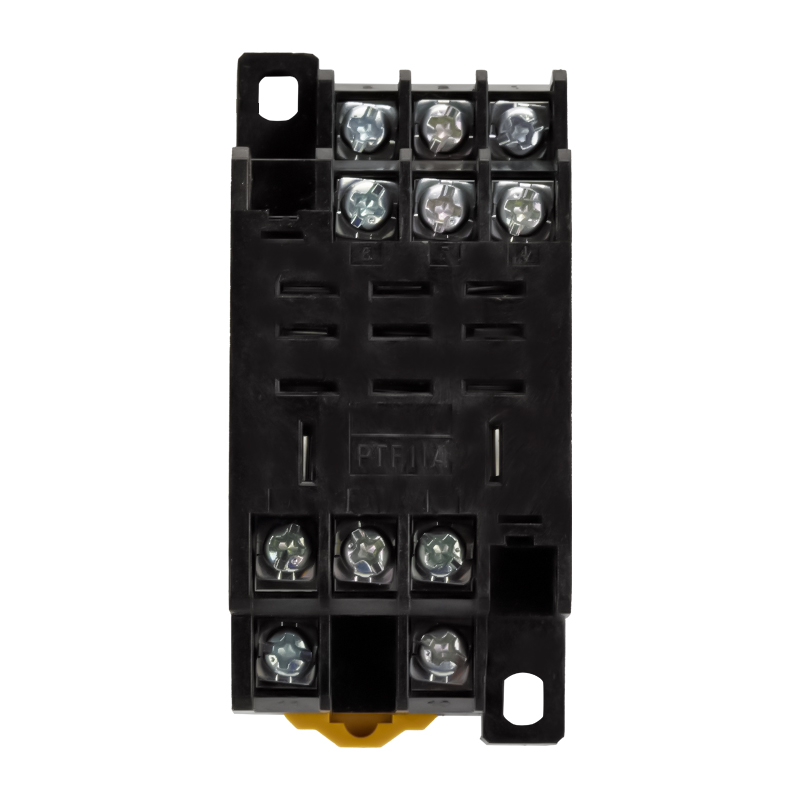 HLS-PTF11A relay socket for 13F-3Ningbo Helishun Electron Co.,Ltd.View Product →
The chart below shows a representative distribution of contact current ratings selected by design engineers for general power relay applications. It is based on common procurement patterns, not on a single survey, so treat it as a directional guide rather than a hard rule.
The data suggests that most general power relay designs settle in the 5A to 15A range. That matches the product mix at Helishun, where SPDT relays with 7A, 10A, and 15A ratings are among the most frequently requested. For higher current needs, such as 25A or 30A, the T90 series and automotive relays are common choices. The chart also shows that going above 20A is a deliberate decision, usually driven by motor loads or high-power heating elements. If your application falls into that category, pay extra attention to contact material and heat dissipation.
Another takeaway is that the relay switch symbol itself does not change across these current levels. The same SPDT symbol can represent a 5A relay or a 30A relay. The difference is entirely in the physical construction. This is why engineers who work with relays regularly keep a component library that includes both the symbol and the footprint. Helishun's product pages include detailed drawings and pinouts for each model, so you can map the symbol to the right part without guesswork.
Common Mistakes When Reading Relay Switch Symbols
Even experienced engineers make mistakes when they read relay switch symbols quickly. Most of these mistakes come from assuming the symbol carries more information than it does. Here are the ones that show up most often in design reviews and troubleshooting.
- Confusing NO and NC positions. The symbol usually shows the de-energized state. If you assume the opposite, your logic will be inverted. Always check whether the contact is drawn open or closed when the coil is off.
- Ignoring the coil polarity. Some relays have polarity-sensitive coils, especially those with built-in diodes or LED indicators. The symbol may not show a plus or minus, but the datasheet will.
- Overlooking the common terminal. In an SPDT symbol, COM is the moving contact. If you connect the load to COM and the supply to NO, the circuit works. If you swap them, the load may be energized in the wrong state.
- Assuming pin 1 is always the coil. Pin numbering is not standardized across all relay families. A symbol with four functional blocks can map to five or eight physical pins in different orders. Always check the pinout drawing.
- Forgetting the flyback diode. The relay switch symbol shows the coil as an inductor. When the coil de-energizes, it can generate a voltage spike that damages the driver. A flyback diode across the coil is a standard protection measure, but it is often left out of the schematic symbol.
- Mixing up AC and DC ratings. A relay rated for 10A at 250V AC may have a much lower DC rating. The symbol does not distinguish between AC and DC loads. Check the datasheet for both.
These mistakes are avoidable with a simple habit: treat the symbol as a functional diagram, not a physical one. The symbol answers "what does it do?" The datasheet answers "how do I use it?" Helishun's technical documentation includes pinout diagrams and contact state tables for each relay series, which helps close that gap. If you are ever unsure, the safest path is to prototype the circuit and measure the switching behavior before committing to production.
FAQ About Relay Switch Symbols
What is the difference between a relay switch symbol and a switch symbol?
A plain switch symbol shows a manual or mechanical action. A relay switch symbol adds a coil and a dashed linkage to show that the switch is controlled electrically. The contact portion may look similar, but the coil is the key difference.
How do I know if a relay symbol is normally open or normally closed?
Look at the contact line. If it is drawn touching the common terminal when the coil is de-energized, it is normally closed (NC). If it is drawn away from the common terminal, it is normally open (NO). Some symbols use a small label, but the drawing itself is usually enough.
Does the relay switch symbol show the coil voltage?
No. Coil voltage is a physical rating, not a logical one. The symbol only shows that a coil exists. You must check the datasheet for the coil voltage, pick-up current, and release voltage.
Can I use the same PCB footprint for different relay symbols?
Only if the physical relays share the same pinout. Two relays with identical symbols can have different pin counts and spacings. For example, a 5-pin SPDT relay and an 8-pin SPDT relay may have the same logical symbol but completely different footprints.
Why do some relay symbols have a diode drawn across the coil?
That diode is a flyback protection diode. It is sometimes included in the symbol to remind the designer to add it. If it is not drawn, you may still need to add one externally to protect the driving transistor or IC.
How can I find a relay that matches a specific switch symbol?
Start with the contact form and current rating. Then check the coil voltage and pin layout. Helishun organizes its relays by application and contact configuration, making it easier to match a symbol to a real part. You can also review the about Helishun page to see the company's manufacturing and certification background.
Relay switch symbols are one of those things that seem obvious until you need to turn a schematic into a working board. The symbol is a compact way to show electrical control, but it leaves out the mechanical and thermal details that determine whether your design works in the field. By treating the symbol as a starting point and the datasheet as the authority, you avoid the most common and costly mistakes.
Helishun has been manufacturing relays since 2000, with a product range that covers automotive, general power, telecom, and socket solutions. The company's focus on footprint compatibility and certification means that when you find a relay switch symbol in your schematic, there is likely a Helishun part that matches both the logic and the physical requirements. The next time you see that coil-and-contact drawing, you will know exactly what it does and does not tell you.


